
How To Pack Your Electrical Items For Safe Moving
Moving to a new home can be exciting, but it also comes with several challenges—especially when it comes to packing delicate Using the right packing supplies can make a huge difference in protecting your electronics. Some important materials include: items like electronics. Electrical appliances such as televisions, computers, kitchen gadgets, and entertainment systems are often expensive and sensitive to damage. Improper packing can result in broken screens, internal component damage, or even complete malfunction.
That’s why learning how to pack your electrical items for safe moving is essential. With the right preparation, packing materials, and techniques, you can ensure that your electronics arrive at your new home in perfect condition.
In this guide, we will explain step-by-step how to safely pack your electrical items during a move, along with helpful tips, common mistakes to avoid, and frequently asked questions.
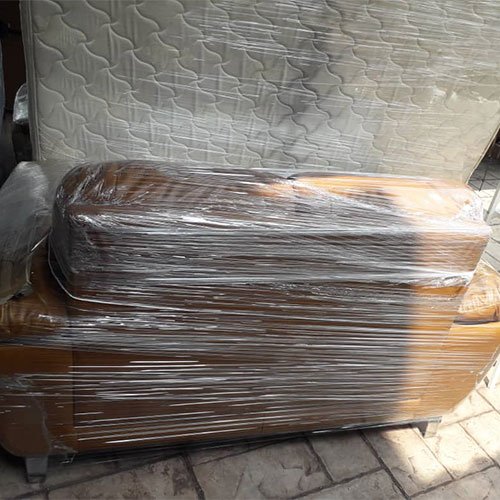
Why Proper Packing of Electrical Items Is Important
Electronics are different from regular household items. They contain delicate internal components that can be easily damaged by:
- Sudden shocks during transportation
- Moisture and humidity
- Static electricity
- Pressure from heavy objects
- Tangled cables or loose parts
- Using the right packing supplies can make a huge difference in protecting your electronics. Some important materials include:
Proper packing ensures your devices remain protected throughout the moving process. It also helps prevent costly repairs or replacements after relocation Using the right packing supplies can make a huge difference in protecting your electronics. Some important materials include:.
Common Electrical Items That Need Special Care During Moving
Before packing, it’s helpful to identify which items require extra protection. Common household electronics include:
- Televisions and monitors
- Desktop computers and laptops
- Gaming consoles
- Printers and scanners
- Home theater systems
- Speakers
- Kitchen appliances like microwaves and blenders
- Refrigerators and washing machines
- Routers and modems
Each of these items should be packed carefully to avoid damage during loading, transportation, and unloading.
Essential Packing Materials for Electrical Items
Using the right packing supplies can make a huge difference in protecting your electronics. Some important materials include:
Sturdy Cardboard Boxes
Whenever possible, use the original boxes your electronics came in. These boxes are designed specifically for the product’s shape and protection.
If the original box is not available, choose a strong double-walled box.
Bubble Wrap
Bubble wrap provides cushioning against shocks and vibrations.
Foam Sheets or Packing Peanuts
These materials fill empty spaces in boxes and prevent items from shifting during transit.
Packing Paper
Use packing paper to wrap smaller accessories and cables.
Anti-Static Packing Material
Electronics are sensitive to static electricity, so anti-static bubble wrap or bags are recommended for devices like computers and hard drives.
Packing Tape
Use strong tape to seal boxes securely.
Labels and Markers
Clearly mark boxes with labels such as:
- Fragile
- Handle with care
- This side up
Step-by-Step Guide to Packing Electrical Items Safely
1. Back Up Your Data
Before packing computers, laptops, or external drives, always back up important files.
You can back up data to:
- Cloud storage
- External hard drives
- USB storage devices
This ensures your information remains safe even if the device is damaged during the move.
2. Take Photos of Cable Connections
Many electronic devices have multiple cables and ports. Before disconnecting them, take photos of the setup.
This makes it much easier to reconnect everything when you set up your devices in your new home.
3. Turn Off and Unplug Devices How To Pack Your Electrical Items
Before packing, ensure that all electrical devices are turned off and unplugged. Allow appliances to cool down if they were recently used.
For example:
- Unplug televisions and entertainment systems
- How To Pack Your Electrical Items
- Defrost refrigerators at least 24 hours before moving
- Drain water from washing machines
This prevents moisture leakage and internal damage.
4. Remove and Organize Cables
Cables often get tangled or misplaced during moving. To avoid confusion:
- Remove all cables and accessories
- Wrap each cable neatly
- Use cable ties or rubber bands
- Place them in labeled plastic bags
- How To Pack Your Electrical Items
You can also attach the bag to the corresponding device box to keep everything together.
5. Wrap Electronics with Protective Material
Each device should be wrapped individually using bubble wrap or foam sheets.
For delicate items like televisions or monitors:
- Wrap the screen with a soft cloth or foam sheet
- Add multiple layers of bubble wrap
- Avoid placing pressure directly on the screen
- How To Pack Your Electrical Items
Secure the wrapping with tape but avoid placing tape directly on the device surface.
6. Use Proper Box Padding
Place a layer of cushioning material at the bottom of the box before placing the electronic item inside.
After placing the device:
- Fill empty spaces with packing peanuts or foam
- Ensure the item does not move when the box is shaken gently
Movement inside the box can cause serious damage during transportation.
7. Pack Accessories Separately
Accessories such as remote controls, adapters, batteries, and cables should be packed in separate small boxes or labeled bags.
This prevents them from scratching or damaging the main device.
8. Seal and Label the Boxes Clearly
After packing, seal the box securely with packing tape.
Clearly label each box with:
- Fragile
- Electronics
- This side up
This helps movers handle the boxes carefully during loading and unloading.
Special Packing Tips for Specific Electronics
Packing a Television
Televisions are one of the most delicate items to move.
Tips for packing a TV:
- Use the original TV box if available
- Wrap the screen with foam or soft cloth
- Use corner protectors
- Keep the TV upright during transportation
- How To Pack Your Electrical Items
Never lay a large television flat as it may damage the screen.
Packing Computers and Laptops
Computers contain sensitive internal components.
Safety tips:
- Remove external drives or accessories
- Use anti-static packing materials
- Pack monitors separately
- Secure keyboards and mouse in small boxes
Packing Kitchen Appliances
Small appliances like microwaves, coffee makers, and blenders should be cleaned and dried before packing.
Remove detachable parts and wrap them separately.
Packing Large Appliances
Large appliances require extra preparation.
Examples include:
- Refrigerators
- Washing machines
- Dishwashers
- How To Pack Your Electrical Items
Make sure to:
- Disconnect water lines
- Drain remaining water
- Secure doors with tape
Common Mistakes to Avoid When Packing Electronics
Many people accidentally damage their devices due to simple mistakes.
Avoid these common errors:
Using Weak Boxes
Electronics are heavy and fragile, so always use strong boxes.
Not Labeling Boxes
Unlabeled boxes may be mishandled during moving.
Packing Cables Without Organization
Loose cables can get tangled or lost.
Skipping Protective Wrapping
Even short-distance moves can cause damage without proper cushioning.
Placing Heavy Items on Electronics
Never stack heavy boxes on top of electronics.
Should You Hire Professional Movers for Electronics?
While you can pack electronics yourself, professional movers often provide specialized packing services.
Benefits include:
- Professional packing techniques
- High-quality materials
- Safe loading and unloading
- Reduced risk of damage
For expensive equipment like home theater systems or office electronics, professional assistance can be a smart investment.
Tips for Setting Up Electronics After Moving
Once you reach your new home, avoid rushing to reconnect devices.
Follow these steps:
- Allow electronics to reach room temperature before plugging them in.
- Check for any visible damage.
- Use your cable photos to reconnect devices properly.
- Test each device individually.
This ensures everything functions properly after the move.
Conclusion
Packing electronics properly is one of the most important parts of a successful move. These devices are often expensive and delicate, which means they require special care and attention.
By following the right techniques—such as using proper packing materials, organizing cables, protecting screens, and labeling boxes—you can ensure your electrical items remain safe throughout the moving process.
Whether you are relocating across the city or moving to a different region, taking extra time to pack your electronics carefully will help prevent costly damage and ensure a smooth transition into your new home.
A well-organized moving plan combined with safe packing practices will allow you to enjoy your new space without worrying about damaged or missing electronics.
FAQs About Packing Electrical Items for Moving
1. What is the safest way to pack electronics for moving?
The safest way is to use original boxes, wrap devices in bubble wrap or foam, and fill empty spaces with cushioning material.
2. Should I keep electronics in their original boxes?
Yes, original boxes provide the best protection because they are designed specifically for the device.
3. How do I protect a TV screen during moving?
Wrap the screen with a soft cloth or foam sheet, add bubble wrap, and place the TV upright in a padded box.
4. Can I pack cables together with electronics?
It’s better to pack cables separately in labeled bags to avoid tangling and confusion.
5. Do electronics need anti-static packing materials?
Yes, anti-static materials are recommended for sensitive devices like computers and hard drives.
6. Should I remove batteries before packing devices?
Yes, removing batteries prevents leakage and potential damage during transportation.
7. How should I move large appliances like refrigerators?
Clean them, disconnect power and water lines, drain any remaining water, and secure doors before moving.
8. Is it safe to move electronics in a moving truck?
Yes, as long as they are packed properly with cushioning materials and clearly labeled as fragile.